How to Install AnarchyMod and Join 6b6t on Minecraft Java
AnarchyMod is the free mod that lets Minecraft Java join 6b6t. Every step with a screenshot, from the right version to 6b6t in your server list.

To install AnarchyMod, download it for Minecraft 26.2 at 6b6t.org/mod and run the Fabric installer for 26.2. Then put the file in your mods folder and start the Fabric profile in the Minecraft Launcher. AnarchyMod then adds 6b6t to your Multiplayer list. 6b6t is a Minecraft anarchy server with no rules and no queue. AnarchyMod is the free, official mod that lets you join it on Java. Bedrock needs no mod.
In short:
- Use Minecraft 26.2, not 26.3.
- Download AnarchyMod for 26.2 at 6b6t.org/mod.
- Download the Fabric installer at fabricmc.net. On a Mac or Linux PC, install Java 25 first.
- Run the Fabric installer, choose 26.2 and click Install.
- Put the AnarchyMod file in your mods folder.
- In the Minecraft Launcher, pick fabric-loader-26.2 and press Play.
- Open Multiplayer and join 6b6t.
Everything you need, except Minecraft itself, is free.
| You need | Where | Note |
|---|---|---|
| Minecraft Java | Minecraft Launcher | Or another launcher |
| AnarchyMod for 26.2 | 6b6t.org/mod | One file, about 13 KB |
| Fabric Installer | fabricmc.net | The .exe needs no Java |
| Java 25 | adoptium.net | Only for the installer on Mac and Linux |
Why Does 6b6t Show as Offline on Minecraft Java?
Because Mojang blacklisted 6b6t on 15 July 2026. Since then, Minecraft Java without the mod shows 6b6t as offline and does not tell you why. AnarchyMod turns that block off.
Here is what happened on 15 July 2026.
Why Did 6b6t Make a Mod Instead of Adding Rules?
6b6t built AnarchyMod itself and released it on 28 February 2026, before any blacklist, so the server was ready. When Mojang blacklisted 6b6t on 15 July 2026, the mod kept 6b6t open on Java and 6b6t added no rules, while 2b2t had added rules in December 2025 after a notice from Mojang.
Mojang never said why it blacklisted 6b6t. In September 2026, Mojang had AnarchyMod's GitHub page taken down, but the mod stayed up at 6b6t.org/mod and on CurseForge. Our post explains how Mojang took AnarchyMod off GitHub.
What Is AnarchyMod?
AnarchyMod is 6b6t's free, open-source Fabric mod that lets Minecraft Java join 6b6t. Fabric is a free mod loader: it lets Minecraft load mods. AnarchyMod works with Fabric only, not with Forge. AnarchyMod does four things:
- It stops Minecraft blocking the 11 domains (web addresses) 6b6t owns.
- It adds 6b6t to your server list, as the first entry, unless you already saved a 6b6t address.
- It sends 6b6t one empty message when you join. That is how 6b6t counts mod users and gives the free homes.
- It downloads the current list of domains from the 6b6t website when the game starts. If that fails, it uses the list built into the mod.
Everyone who joins with it gets 2 free homes, on top of rank and voting homes. A home is a place you save with /sethome and go back to with /home.
| AnarchyMod | At a glance |
|---|---|
| Made by | 6b6t |
| First released | 28 Feb 2026 |
| Latest | 1.4.3 |
| Minecraft builds | 1.9.4 to 26.2, joins 6b6t from 1.21.11 |
| Licence | MIT, free |
| Size | About 13 KB |
Is AnarchyMod Safe?
Yes. AnarchyMod is open source under the MIT licence, and the whole mod is one file of about 13 KB. It never reads your account, password or login. It only talks to 6b6t: it fetches 6b6t's list of addresses from www.6b6t.org when the game starts, and sends 6b6t one empty message when you join. Anyone can check this in the AnarchyMod source code.
Download it only from 6b6t.org/mod or CurseForge. A copy from any other site may not be the real file. AnarchyMod is a .jar file, so a .zip is not AnarchyMod.
Step 1: Which Minecraft Version Do You Need for 6b6t?
Checked 18 October 2026.
26.2. 6b6t runs on 26.2, and it is the newest Minecraft version AnarchyMod has a file for. You do not need to change your launcher. The Fabric installer adds 26.2 for you in Step 4.
AnarchyMod has a file for every Minecraft version from 1.9.4 to 26.2, but only 1.21.11 and newer can join 6b6t. That leaves five: 1.21.11, 26.1, 26.1.1, 26.1.2 and 26.2. 6b6t moved to 1.21.11 in the 1.21.11 update in May 2026.
Do not pick 26.3. It is Minecraft's newest version, and the launcher and the Fabric installer offer it first. But there is no AnarchyMod file for 26.3 yet. When a 26.3 file comes out, it will be at 6b6t.org/mod.
Step 2: Where Do You Download AnarchyMod?
At 6b6t.org/mod. On the AnarchyMod download page, choose Minecraft 26.2 in the list, then click Download for 26.2. The page says to choose the same version as your launcher, and your launcher may show 26.3. Pick 26.2 anyway. The Fabric installer adds 26.2 to your launcher in Step 4. The file goes to your Downloads folder. Do not unzip it.
AnarchyMod on CurseForge is official too. 6b6t publishes it there. On CurseForge, open Files and pick the file for Minecraft 26.2.
Step 3: Where Do You Download the Fabric Installer?
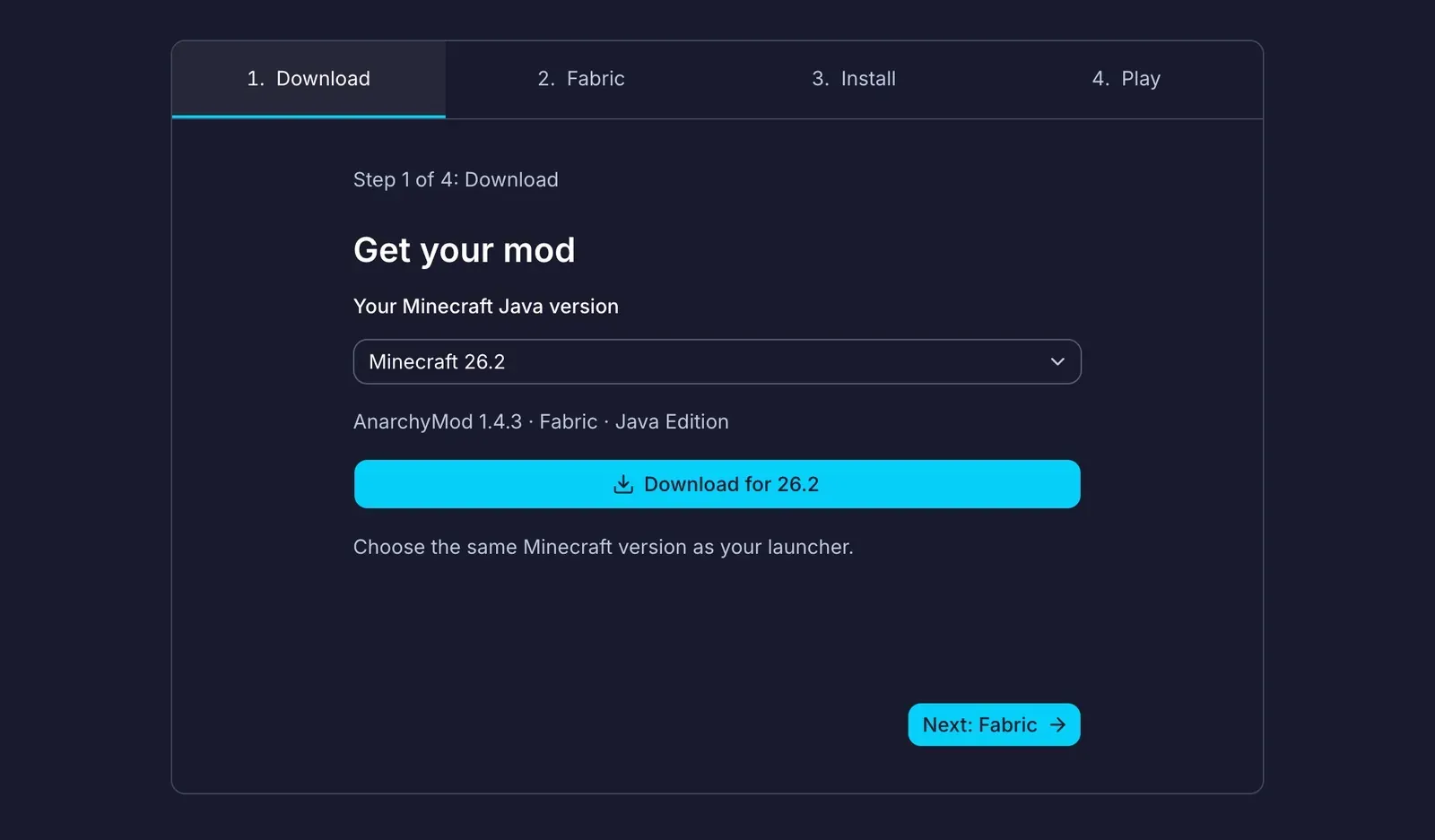
Get the installer at fabricmc.net. On Windows, click the big Download for Windows button. You get a .exe file. It needs no Java, because it uses the Java that comes with the Minecraft Launcher.
Do you need Java? Only on a Mac or Linux PC. There, click Download installer (Universal/.JAR). You get a .jar file, and it needs Java to open. Install Java 25 (Temurin) from adoptium.net first. On a Mac, take the .pkg file. To find the right one, open the Apple menu > About This Mac. If it says Apple M1, M2 or newer, take aarch64. If it says Intel, take x64. Open the .pkg and follow the steps.
This Java is only for the installer. The game uses the launcher's own Java.
Step 4: How Do You Install Fabric?
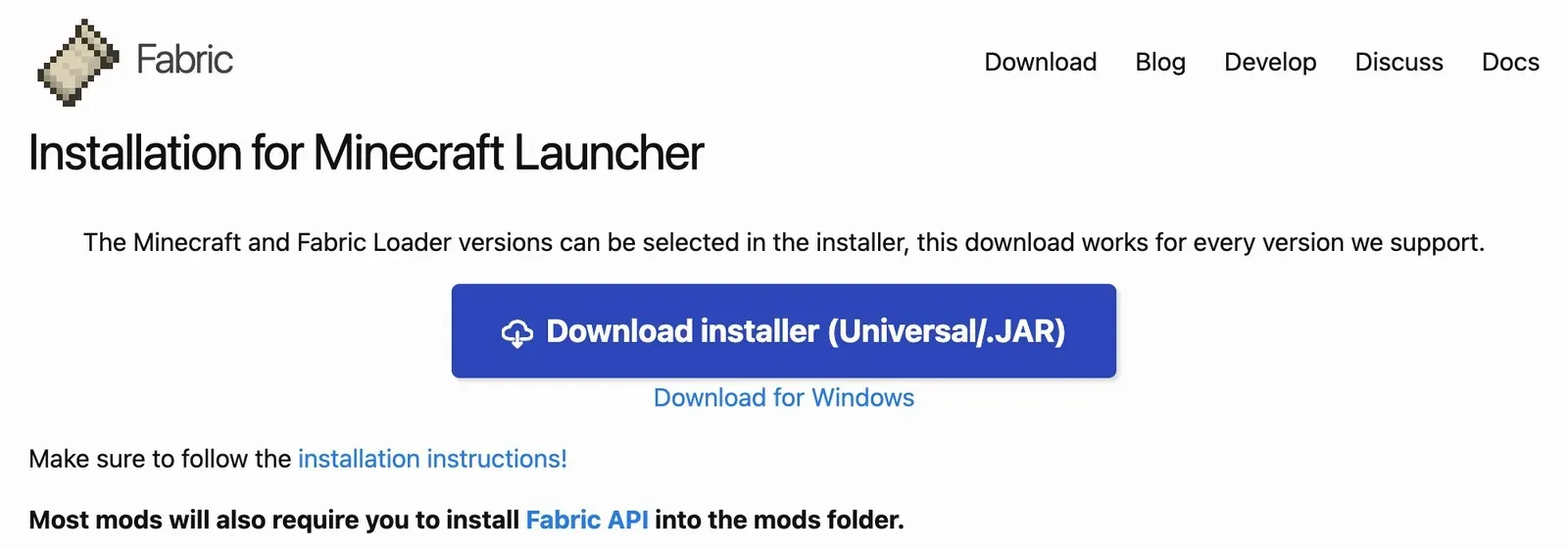
If you have never opened the Minecraft Launcher on this computer, open it once now. The installer needs the folder the launcher makes on its first start. Then close the launcher. On a Mac, press Command-Q.
Open your Downloads folder and double-click the Fabric installer. Its name starts with fabric-installer. If your Mac says Apple could not verify it, open System Settings > Privacy & Security. Scroll down to Security, click Open Anyway and type your Mac password.
Click the Minecraft Version box and pick 26.2. It is right under 26.3.
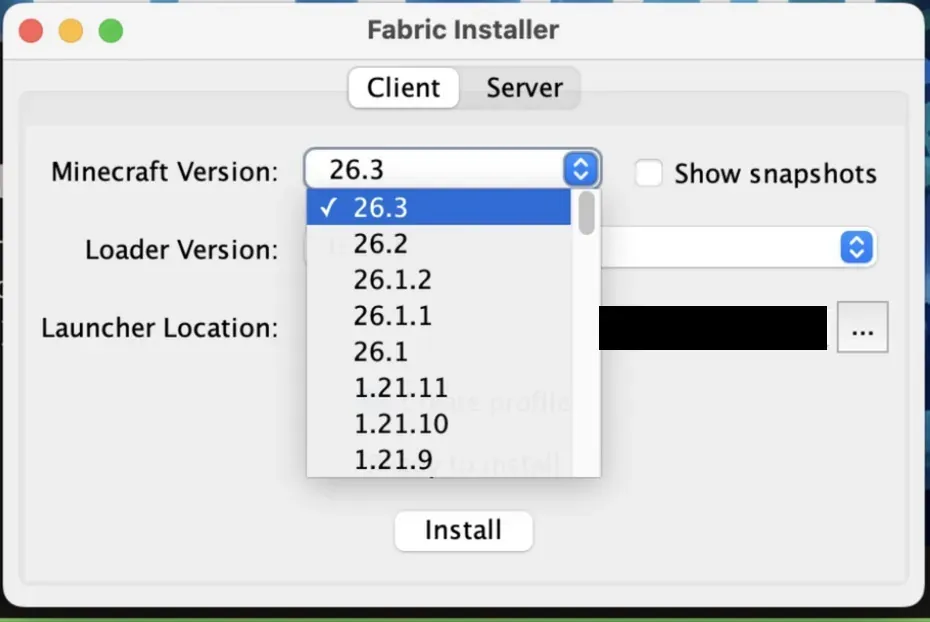
Leave Loader Version as it is. Keep Create profile ticked. A profile is a saved setup in the launcher, and this one starts Minecraft 26.2 with Fabric. Then click Install.
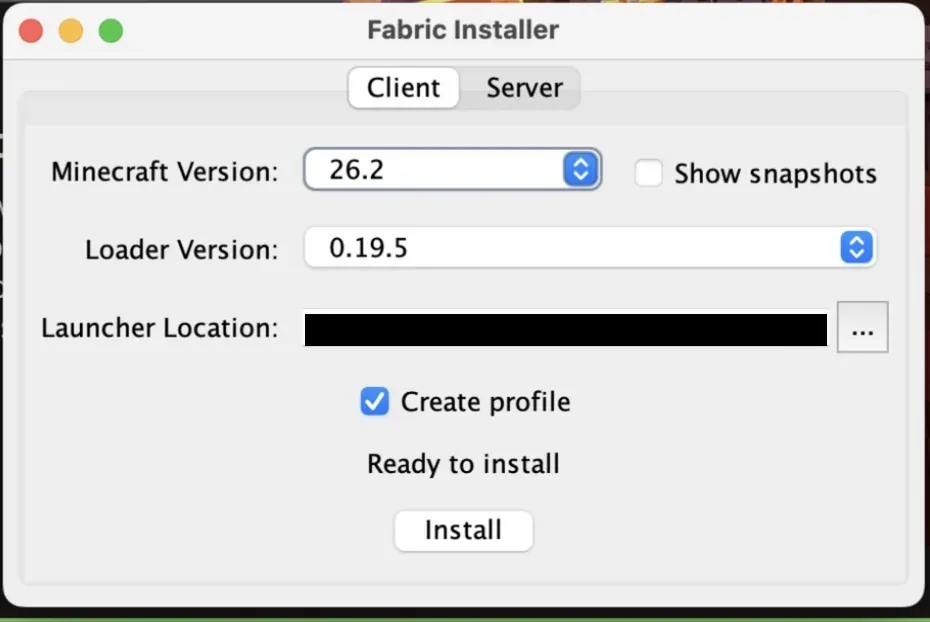
If the launcher is still open, the installer warns you and asks whether to go on. Click No, close the launcher, then click Install again.
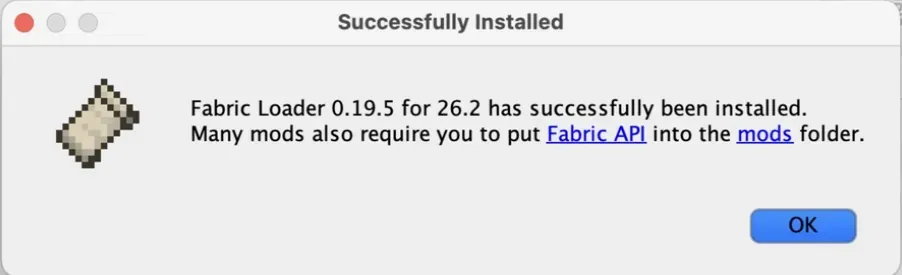
When it is done, you see Successfully Installed. The message says many mods also need Fabric API. AnarchyMod does not need Fabric API. Click OK and move on.
Step 5: Where Is the Minecraft Mods Folder?
If you use another launcher or a custom game folder, use that setup's own mods folder instead of the paths below.
Inside your Minecraft folder:
- Windows:
%appdata%\.minecraft\mods. Hold the Windows key and press R. Paste the path and press Enter. - macOS:
~/Library/Application Support/minecraft/mods. Click Finder in the Dock, then choose Go > Go to Folder in the menu bar (Shift-Command-G). Paste the path and press Return. - Linux:
~/.minecraft/mods.
If Windows says it cannot find the folder, or Finder finds nothing, the mods folder is missing. Paste the same path without the last part (\mods or /mods) to open the minecraft folder. Make a new folder there and call it mods, in lowercase. On Windows, right-click and choose New > Folder. On a Mac, choose File > New Folder.
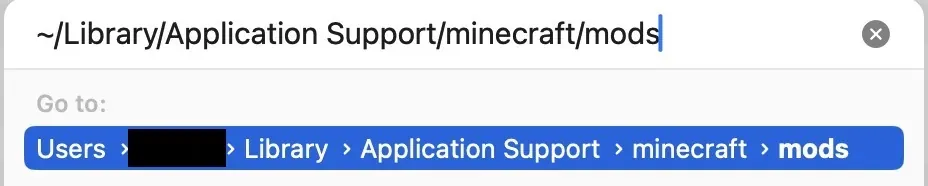
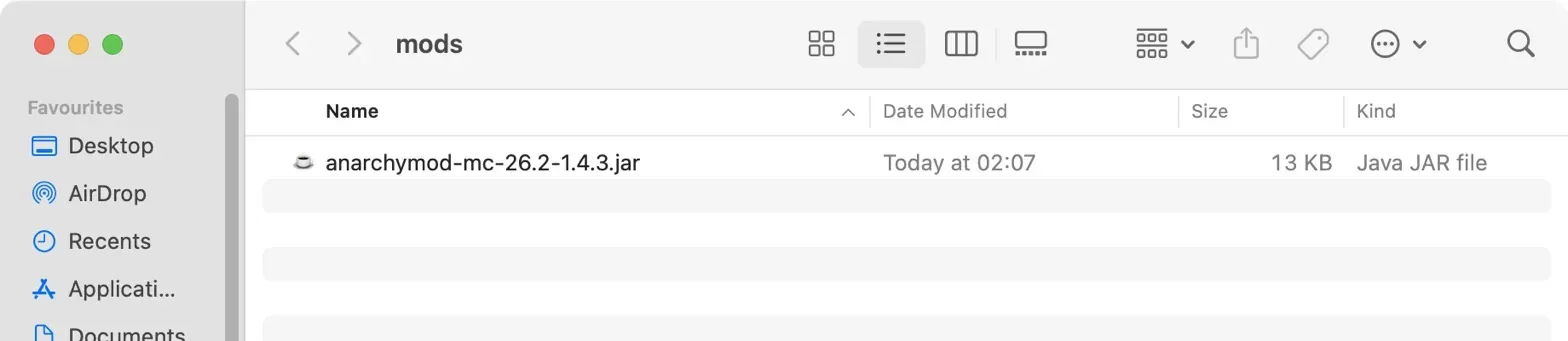
Open your Downloads folder and find the AnarchyMod file from Step 2. Its name starts with anarchymod-mc-26.2. Drag it into the mods folder. Do not put the Fabric installer there. That is the whole install.
On Windows, the name may show without .jar at the end, or with the icon of a zip program. It is still the right file. Do not open it, just move it.
Step 6: How Do You Start Fabric in the Minecraft Launcher?
Open the Minecraft Launcher and click Minecraft: Java Edition on the left. To the left of the green Play button is a box that usually says Latest release. Click it, pick fabric-loader-26.2 and press Play. Do not use Latest release. It starts 26.3 without the mod.
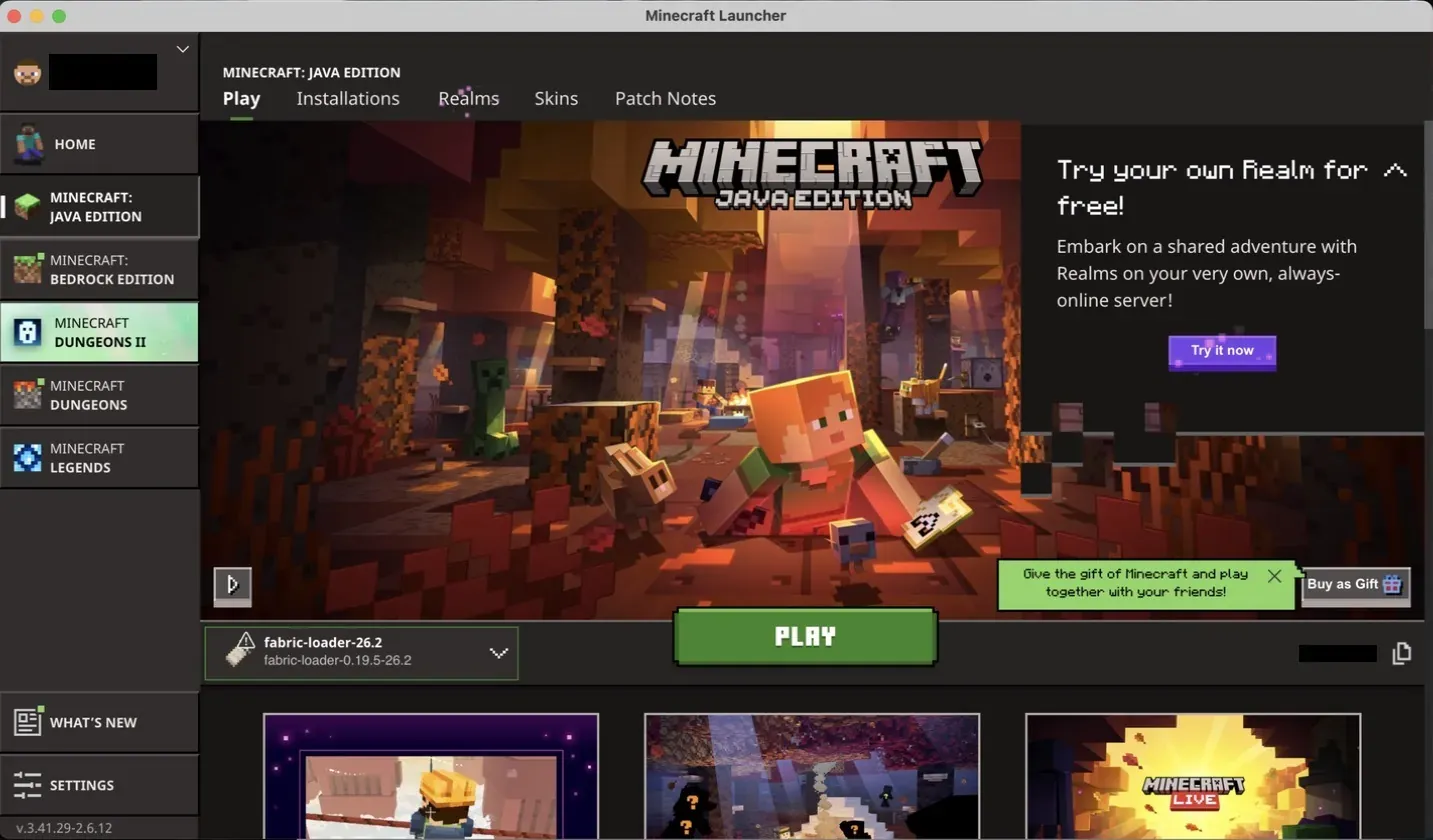
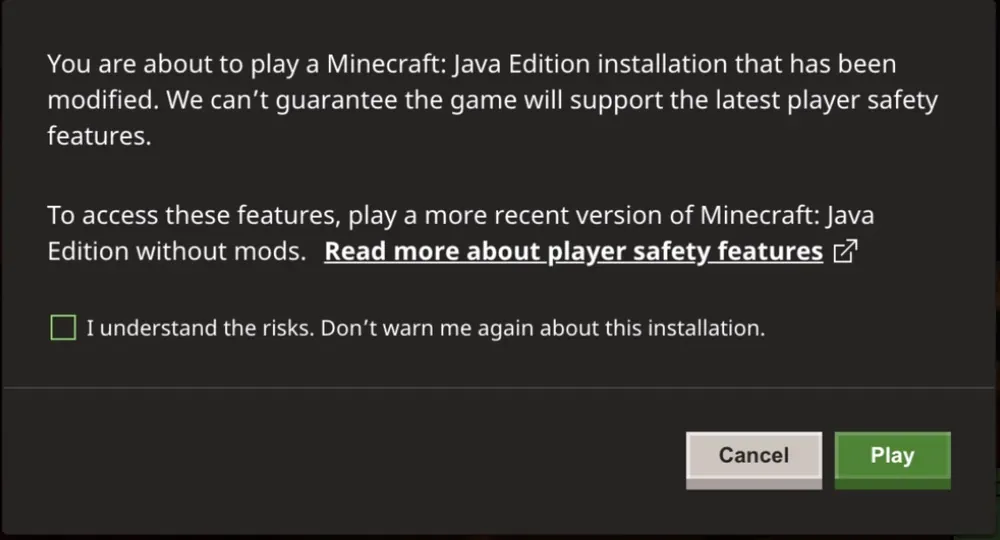
The launcher then warns you that the game is modified. This is normal for any mod. Click Play. The first start downloads Minecraft 26.2, so it takes longer than usual.
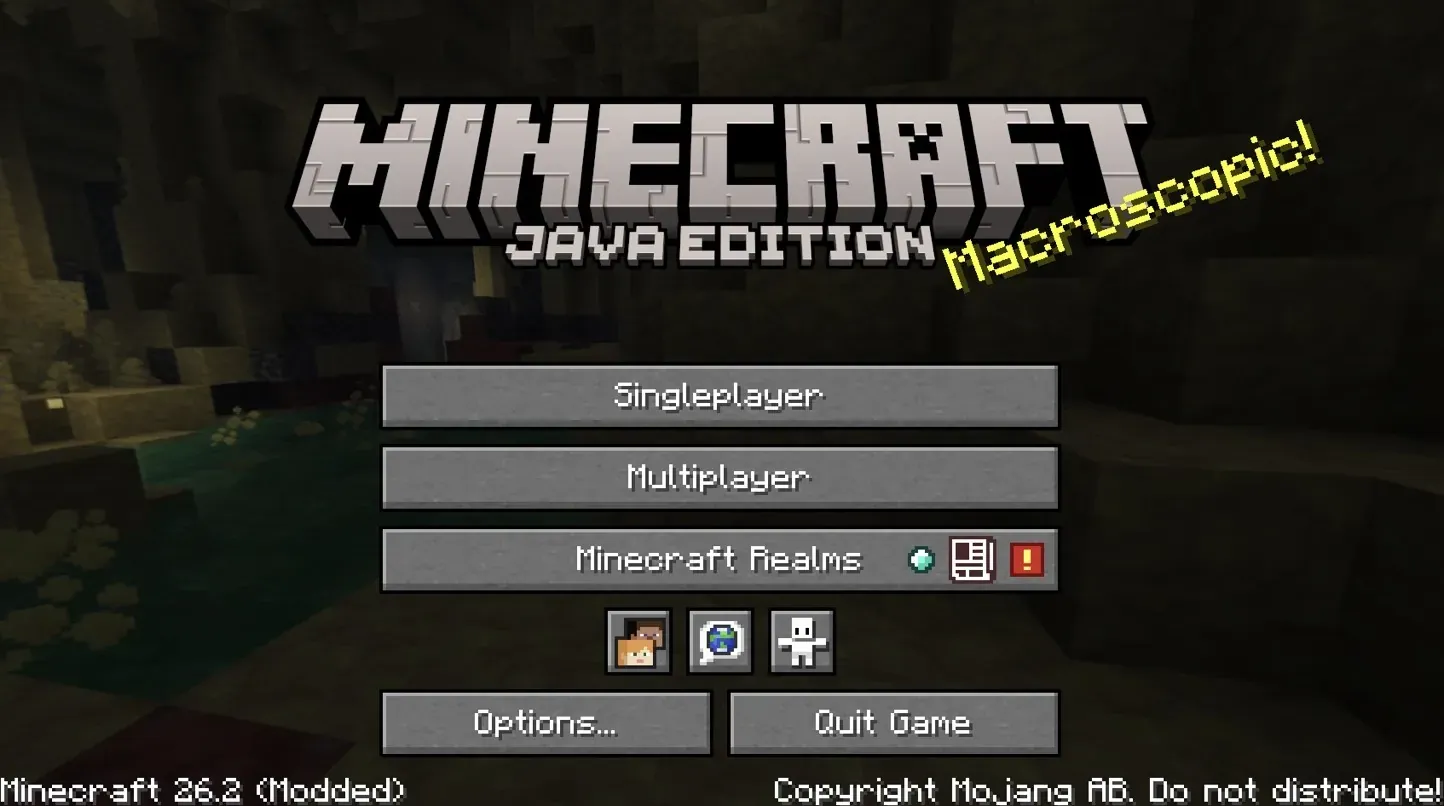
Then the Minecraft title screen opens.
Step 7: Where Is 6b6t in Multiplayer?
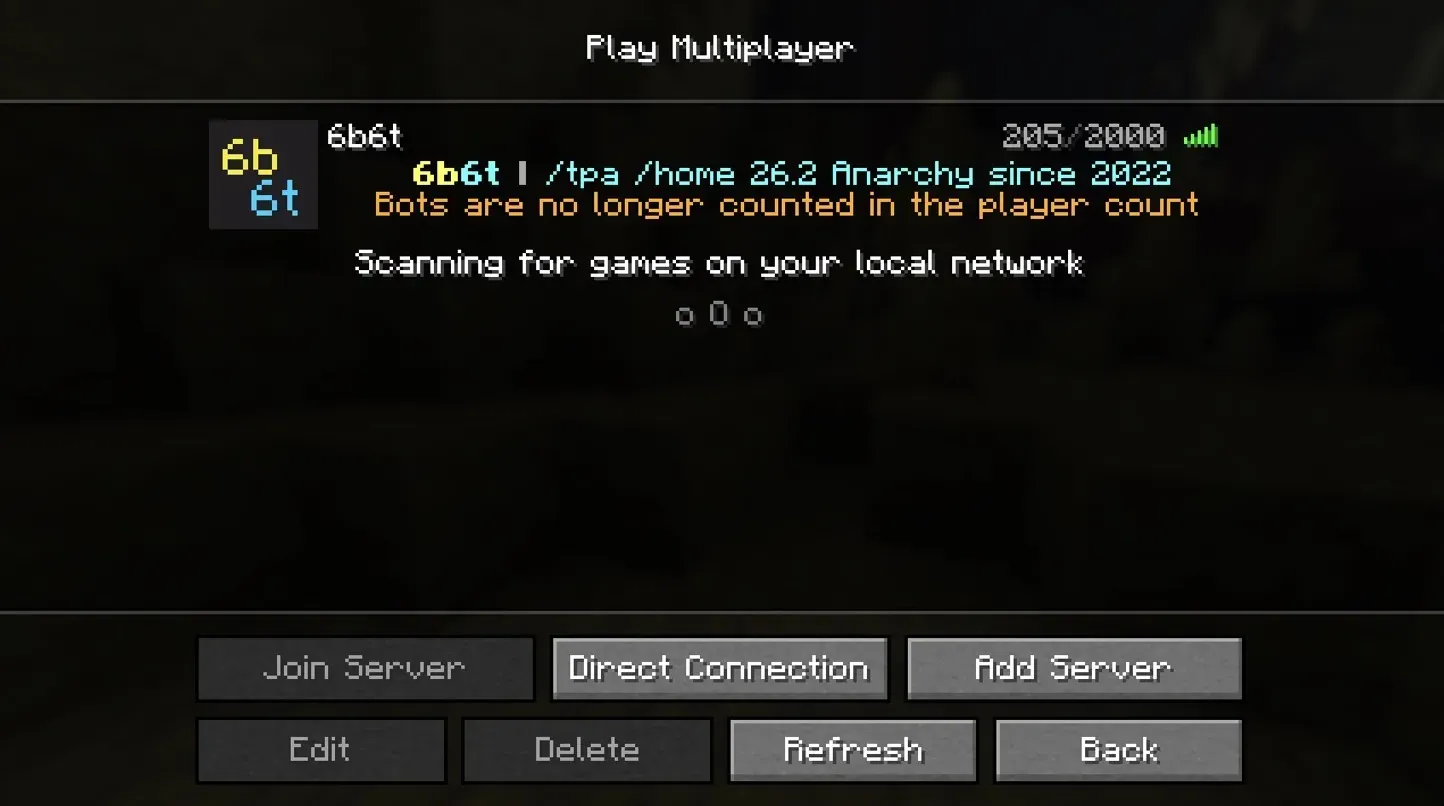
At the top of your server list. AnarchyMod adds it for you. Click Multiplayer. Minecraft first shows a screen called Caution: Third-Party Online Play. It is a general note about servers that Mojang does not run, so click Proceed. Tick Do not show this screen again, and it will not come back. Then click 6b6t and click Join Server.
If you saved 6b6t before, the mod does not add it again, so use the one you saved. If 6b6t is not in the list at all, click Add Server, type join.6b6t.org under Server Address and click Done.
Step 8: What Happens When You Join?
You are in, with no queue. On 2b2t, players wait a day and a half to two days in the queue.
If you bought Minecraft (a premium account), 6b6t does not ask for a password.
If you play without a bought copy of Minecraft (a cracked account), you start on a login server. You register once, then log in each time. The next section has every step.
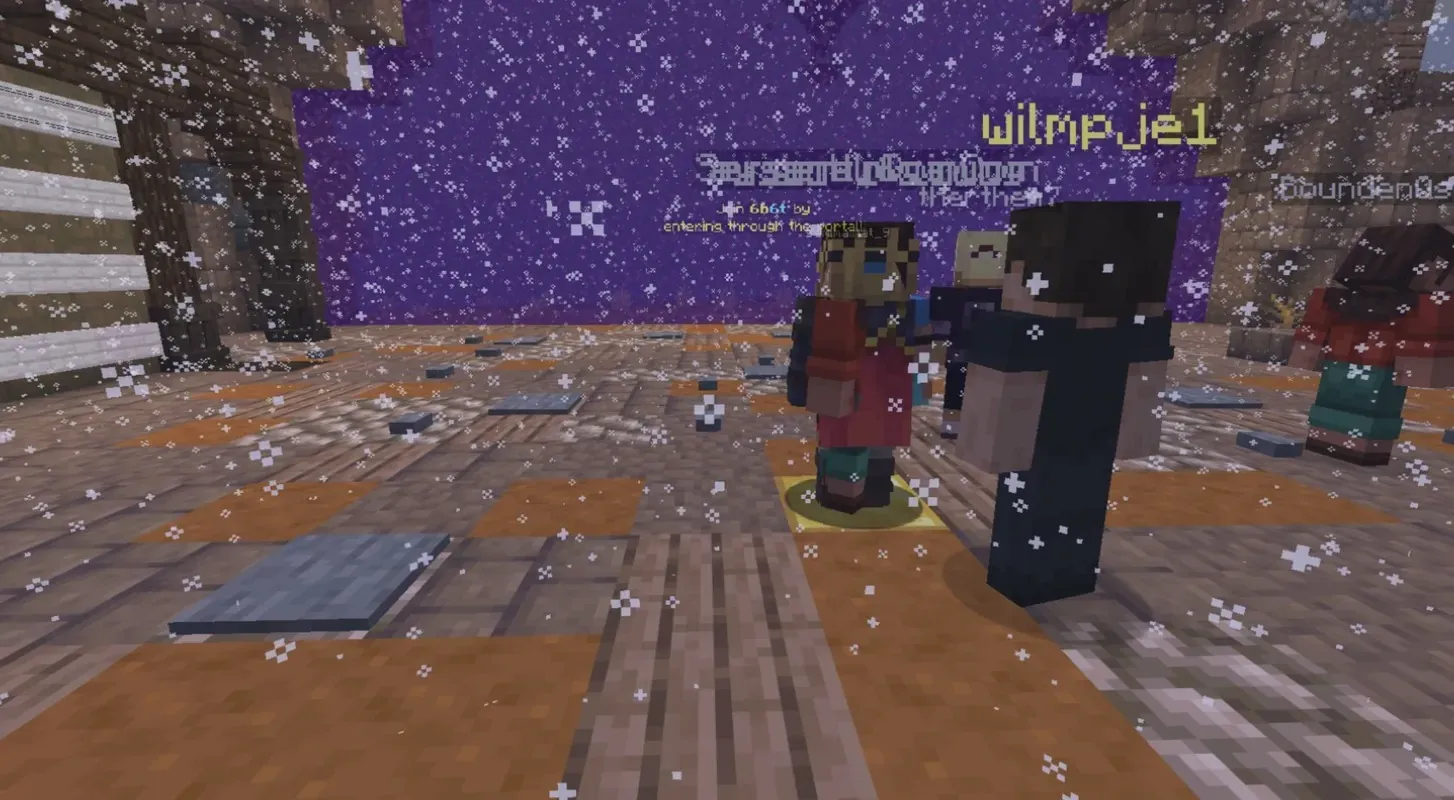
Then you are in the lobby. Walk into the big purple portal, and you are at spawn in the world. Here is how to get out of spawn. Once you are out, set a home with /sethome.
How Do You Join 6b6t With a Cracked Account?
With the same AnarchyMod steps, and a free name. 6b6t accepts cracked accounts on Java. A cracked account is one without a bought copy of Minecraft. You start on a login server, and you type everything in the chat. Press T to open it.
Pick a Name Nobody Has Bought
If you see "To join with this username you need to own the mojang account!", a premium player owns that name. Pick another name in your launcher and join again. On a cracked launcher, "Invalid session" means the same thing.
With a bought account, "Invalid session" means something else: your launcher login is out of date. Restart the game and the launcher, then join again.
Register Once, Then Log In Every Time
The first time, type your email twice, like this: /register [email protected] [email protected]. Your password then comes by email. Use an email you can open, because you need it to get your password back.
No email? Check your spam or junk folder, and check that you typed an email you can open. Do not register again under new names, because each new name uses up one of your 3 accounts. If the email still does not come, ask in the 6b6t Discord.
Every time you join after that, type /login and the password from the email, like this: /login Tq8vR2mx.
Each connection can register only 3 accounts. If you hit the limit, log in to an account you already made.
Forgot Your Password?
Get a new one by email, on the login server. Type the three commands one after the other, without leaving the server:
/email recover [email protected], with the email on your account. A code comes by email./email codeand the code from the email./email setpasswordand your new password.
Then type /login and the new password.
Wrong Email on Your Account? Use 6b6t.org/recovery
If you typed the email wrong when you registered, or you can no longer open it, /email recover cannot work. The code goes to that email. Use 6b6t.org/recovery instead. It moves your account to a new email:
- Type your Minecraft name.
- Type the email on the account if you remember it. If you do not, leave it blank. You then need more proof in the next step.
- Type the new email you want on the account. Use one you can open now.
- Prove the account is yours. If you can still join 6b6t, the page gives you a code to get from the chat in the game. If not, answer questions only the owner would know: the countries you play from, your homes and their names, coordinates of your bases or stashes, and where you last logged out.
- Type the 6-digit code that comes to your new email, then choose a new password.
Only give details you really remember, because wrong guesses count against you. If your answers are not enough, staff check the request by hand, and you can add proof such as a purchase receipt. Accounts with a rank always go to staff. If the email on the account was right after all, the page sends you back to /email recover.
Bought Minecraft Later? Use /unregister
If you now own the premium account with your cracked name, move to it. Log in with your cracked password, walk into the world and type /unregister. It does not work on the login server or in the lobby. Then join again with your premium account. Your things move with you, and you no longer need a password.
2b2t turns cracked accounts away before they reach its queue.
Already Joining Without AnarchyMod? Here Is Why to Install It
Some clients skip Mojang's block on their own, so some players join 6b6t without AnarchyMod. But only AnarchyMod gives the 2 free homes, and they stack with rank and voting homes. It is one small file of about 13 KB, and it can sit in the same mods folder as your other mods.
If another mod clashes with it, test with only AnarchyMod in the mods folder. If that works, add your other mods back one at a time.
How Do You Check AnarchyMod Is Working?
Two checks:
- Your server list shows 6b6t with its logo and player count, not Can't connect to server. If you never saved 6b6t yourself, AnarchyMod adds it as the first entry, called 6b6t.
- In the game,
/homesshows how many homes you can have. With AnarchyMod, that limit includes the 2 free homes.
If 6b6t shows Can't connect to server, the mod did not load. Check the profile from Step 6 and the folder from Step 5.
If the 2 free homes are missing, check the address you join with. AnarchyMod only tells 6b6t you have it when you join through a 6b6t address, such as join.6b6t.org. It does not do this when you join with a number IP.
Why Can't You Join 6b6t With AnarchyMod Installed?
Most often, because Minecraft started without AnarchyMod. Without the mod, your game shows Can't connect to server or Unknown host, even when 6b6t is up.
"can any1 help me on how i can join the server? i put the mod inside the mod folder and it says unknown host"
selerity in the 6b6t Discord, 23 August 2026
Check three things:
- The profile next to Play is
fabric-loader-26.2. - The file is in the mods folder from Step 5, not in Downloads.
- The file ends in .jar, and you did not unzip it.
Is 6b6t Down, or Is It Your Game?
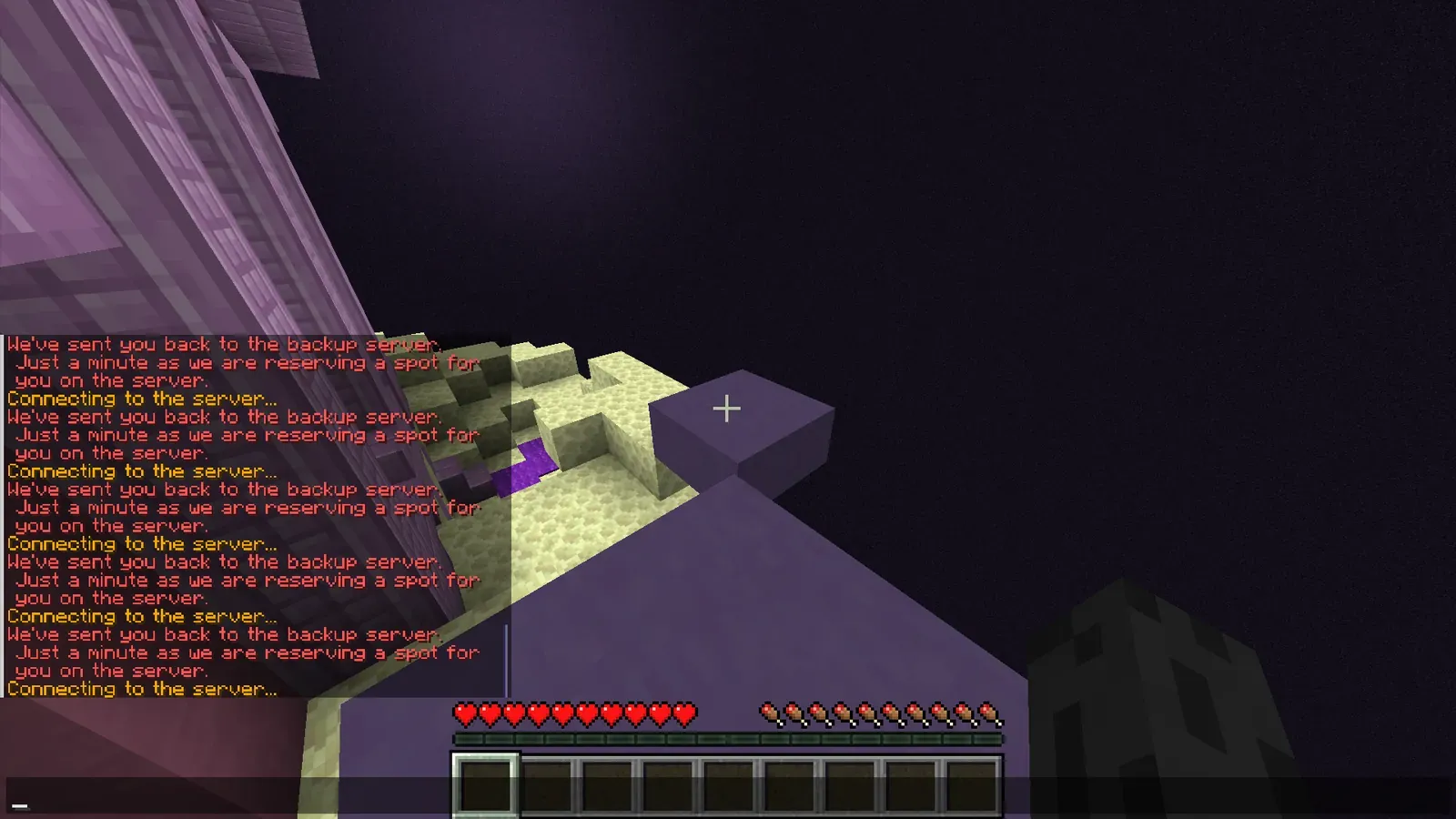
Look at where the message is. Red or orange text in the chat means you are connected, AnarchyMod works, and 6b6t's world is restarting. A "Failed to connect" screen means your game, your account or one address has a problem. The second line tells you which.
Text in the Chat: Wait
These lines come from 6b6t itself while its world restarts. You do not need to do anything:
- "We've sent you back to the backup server. Just a minute as we are reserving a spot for you on the server."
- "The target server is offline now! You have been sent to the backup server while it goes back online."
- "6b6t will soon come back online. Join our Discord with /discord while waiting."
- "Unable to connect you to main-server. Please try again later."
- "Server closed"
Wait in the backup server. It usually takes a minute or two. If it lasts more than about 10 minutes, look for a Server Status post in the #changelog channel of the 6b6t Discord. The status page on 6b6t.org checks the network, not the world, so it can say Online while the world restarts.

A "Failed to Connect" Screen: Read the Second Line
- Unknown host: Minecraft started without AnarchyMod. See the checks above.
- Unsupported Minecraft version: your Minecraft is 1.21.10 or older. Use 26.2, as in Step 1.
- Failed to log in: Invalid session: with a bought account, restart the game and the launcher. With a cracked account, pick another name, as in the cracked-account section.
- Server is starting up. Please try again in a moment.: 6b6t has just restarted. Wait a minute and join again.
- Connection Failed, Connection Blocked or Backend not found: one address has a problem, not 6b6t. Wait 30 seconds, or use
alt.6b6t.orgoralt2.6b6t.org.
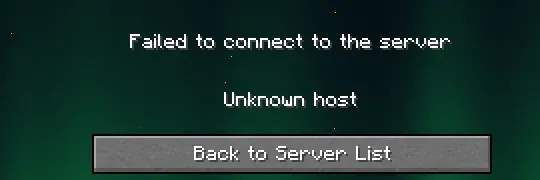
In the server list, Can't connect to server usually means the same as Unknown host. If only one 6b6t address shows it and the others show players, use one of the others.
What Do the Common Errors Mean?
Most of them mean the mod file, the Fabric profile and the Minecraft version do not match.
"Incompatible mods found!"
Read the lines under the message, because they name the mod and the version it needs. Most often, the AnarchyMod file and the Fabric profile are for different Minecraft versions. Make both 26.2: download the 26.2 file at 6b6t.org/mod, or run the Fabric installer again and pick 26.2. Keep only one AnarchyMod file in mods.
Minecraft Crashes Before Multiplayer
Move every other mod out of the mods folder and start again with only AnarchyMod. If the game starts, one of the other mods causes the crash. Add them back one at a time to find it. If it still crashes with only AnarchyMod, ask in the 6b6t Discord with the crash report.
The Fabric Installer Will Not Open
On Windows, use the .exe from Step 3. It needs no Java. On a Mac or Linux PC, install Java 25 from Step 3, then open the installer again. If your Mac says Apple could not verify it, open System Settings > Privacy & Security, scroll down and click Open Anyway.
"No launcher directory found!" or "No launcher profile.json found!"
The Minecraft Launcher has never been opened on this computer. Start it once, close it, then run the installer again.
There Is No Fabric Profile in the Launcher
Run the installer again with the launcher closed and Create profile ticked. On Windows, if it asks Microsoft Store / Xbox or Standalone (Win32), pick the launcher you use. If you are not sure, pick one. If the profile is still missing, run the installer again and pick the other one.
AnarchyMod Does Not Load in Forge
AnarchyMod is a Fabric mod, and Forge cannot load it. Install Fabric with the steps above.
6b6t Is Not in the Server List
The mod did not load. Check the folder from Step 5 and the profile from Step 6.
The Connection Timed Out
Some internet providers cannot reach the main address. Click Add Server and use alt.6b6t.org or alt2.6b6t.org instead. Both still need AnarchyMod.
If none of these fixes helps, ask in the 6b6t Discord. Send a screenshot of the full error, and say which Minecraft version, AnarchyMod version and launcher you use. Never post a password, a code or your recovery answers.
How Do You Update AnarchyMod?
Download the new file for your version at 6b6t.org/mod. Delete the old AnarchyMod file from your mods folder and put the new one in. Keep only one AnarchyMod file there. If you change Minecraft version, run the Fabric installer again and pick that version.
Can You Use AnarchyMod With a Cracked Account or Another Launcher?
Yes. Other launchers call each game setup an instance. Make a new instance for Minecraft 26.2 with Fabric. Then put the AnarchyMod file in that instance's own mods folder, not in .minecraft\mods.
6b6t accepts cracked accounts on Java, with the same mod. The cracked-account section above has every step.
How Do You Install AnarchyMod With the CurseForge App?
The CurseForge app can make the Fabric setup and add AnarchyMod for you, so you do not move any files. You need the CurseForge app and Minecraft Java.
- Open the CurseForge app, pick Minecraft and click Create Custom Profile.
- Give the profile a name, choose Minecraft 26.2 and choose Fabric. Leave the Fabric version as it is. Click Create.
- Open the new profile in My Modpacks and click Add More Content.
- Search for AnarchyMod and click Install.
- Click Play, then open Multiplayer. AnarchyMod adds 6b6t to the list.
Check the version. CurseForge's main AnarchyMod file is for Minecraft 26.1.2, not 26.2. The app installs the file that matches your profile, so make the profile 26.2. If you download from the CurseForge website instead, open Files and pick the file for 26.2.
Do You Need AnarchyMod on Bedrock?
No. There is no AnarchyMod for Bedrock, and Bedrock needs no mod. Add br.6b6t.org, port 19132, on a phone, a tablet or a Windows PC. Xbox, PlayStation and Switch cannot add a server address. Some players use a workaround called BedrockConnect, which changes the console's DNS, but nobody has confirmed yet that it works on 6b6t.
Can't Run Minecraft 1.21.11 or Newer? Play 6b6t on Bedrock
On Java, 6b6t needs Minecraft 1.21.11 or newer. Some phones, Chromebooks and old or weak PCs cannot run it, and neither can Windows 7 or a 32-bit PC.
Then play on Bedrock. It is the same server and the same world, not a copy. Add br.6b6t.org, port 19132. You need no mod. Bedrock runs on phones, tablets, Chromebooks and Windows 10 or 11 PCs.
You sign in with an Xbox account, and on 6b6t your name starts with a dot. You register and log in like a cracked player: /register [email protected] [email protected] once, then /login every time.
How to Join 6b6t
Java: install AnarchyMod once, then connect to join.6b6t.org.
Bedrock: br.6b6t.org, port 19132. No mod needed.
Cracked accounts work on Java. Bedrock needs an Xbox account.
No rules. No queue. No lag. See you at spawn.